I was recently pulling my hair trying to figure out why a webcomponent (containing a canvas) was rendering unbearably slowly (~500ms per frame) in Safari. The same code ran just fine in Chrome and Firefox, and it was slow even if I was just drawing a square!
At first I thought it had to do with the canvas being within a webcomponent, but through much trial and error, I found that it was only slow when the canvas had focus.
From the “Timelines” performance tool I was able to see that almost all of the time was being spent in the CPU in “Paint:
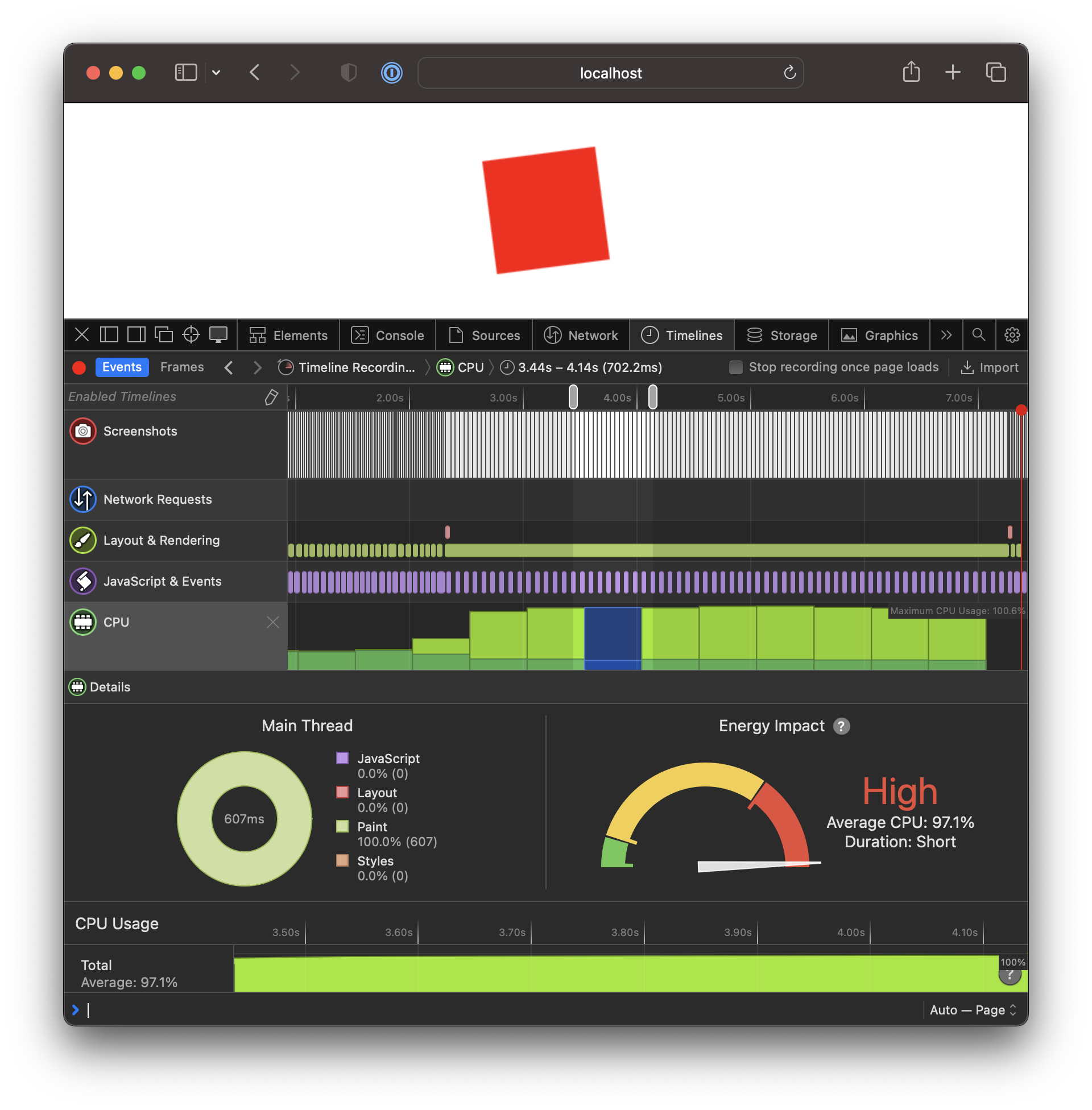
I suspected that something was forcing the rendering to be done in the CPU instead of the GPU, but wasn’t able to get much futher than that. A friend suggested I check through the default css properties that Safari applied to the element.
It took me a while, but I eventually found the offending style:
:focus-visible {
    outline: auto 5px -webkit-focus-ring-color;
}
I added my own style to get rid of the outline:
canvas:focus {
	outline: none;
}
and 🎉 my canvas is magically fast again!
For whatever reason, something with the outline forces the canvas to render on the CPU instead of the GPU, slowing everything to a crawl 🤷♂️