The streaming video and USB for my 4-in-1 Gaming Computer worked surprisingly well, but there were a few annoyances that made it not quite as nice as having hard connections. I had initially thought that having non-streaming video and USB connections would be too expensive, requiring expensive fiber HDMI cable, and super fancy SR-IOV USB controllers, but it turns out there are cheap versions of both of those things that work quite well. I did this upgrade about a year after I built my 4-in-1 computer, but I’ve just got around to posting this now (3 years later 😬).
The problems
Streaming via the Steam Link worked really quite surprisingly well. Quality and latency were good. Compatibility was excellent, especially with VirtualHere.
But there were some issues:
- Windows Update Interactions: Occasionally, Windows Update would prompt questions before completing the boot process, preventing Steam and Parsec from starting. To get through these, I either had to connect a virtual “VNC” display or directly pass through a USB mouse or keyboard to the VM along with connecting a display to the VM’s video card. Though infrequent, this was rather inconvenient.
- User Account Control (UAC): I had to disable UAC because, without VirtualHere, it would block inputs via the Steam Link. I’m not sure if UAC actually improves security (vs just being security theatre), but disabling it probably doesn’t help.
- USB Device Management: The Steam Link’s integration with VirtualHere is quite nice, but when a new device is connected to the Steam Link, it doesn’t automatically connect; manual configuration in VirtualHere is required. Not a major issue, but it added extra steps, making it challenging for my kids to manage on their own, particularly when troubleshooting uncooperative USB devices or apps.
- VirtualHere Bug: On rare occasions, after leaving virtual machines running for several weeks, I observed huge numbers (like >100) instances of VirtualHere consuming significant memory, causing performance issues. A simple reboot resolved this, but it often required my intervention to troubleshoot.
- Image Quality: Although my kids didn’t notice any difference in quality between the Steam Link and a direct HDMI connection, there is definitely a small quality cost to streaming.
These boil down to two main issues:
- Video was streamed
- USB devices are not plug-and-play
Solutions
Fiber HDMI
A direct HDMI connection actually wasn’t too bad. HDMI optical fiber cables have come down a lot in price and I could get a 50ft cable for < $40. A bit annoying to route those, but nothing complicated. Fixes the video issue. That one was easy.
USB passthrough
USB plug-and-play was much trickier. I can also get 50ft active USB cables for not too much, but in order to make them plug-and-play I would have to use PCI passthrough to passthrough a USB card to every VM. (there is a way to do USB passthrough to a VM, but that is much much more complicated and fiddly than just using VirtualHere) To make matters worse, I only had a single spare 1x PCI slot (not just the only slot, but it was also my last spare PCI lane). This is why I didn’t attempt this from the start, I didn’t think it was going to be feasible.
Fortunately, despite other potential misgivings, the cryptocurrency craze has produced a lot of very interesting hardware. For example, this crazy thing:
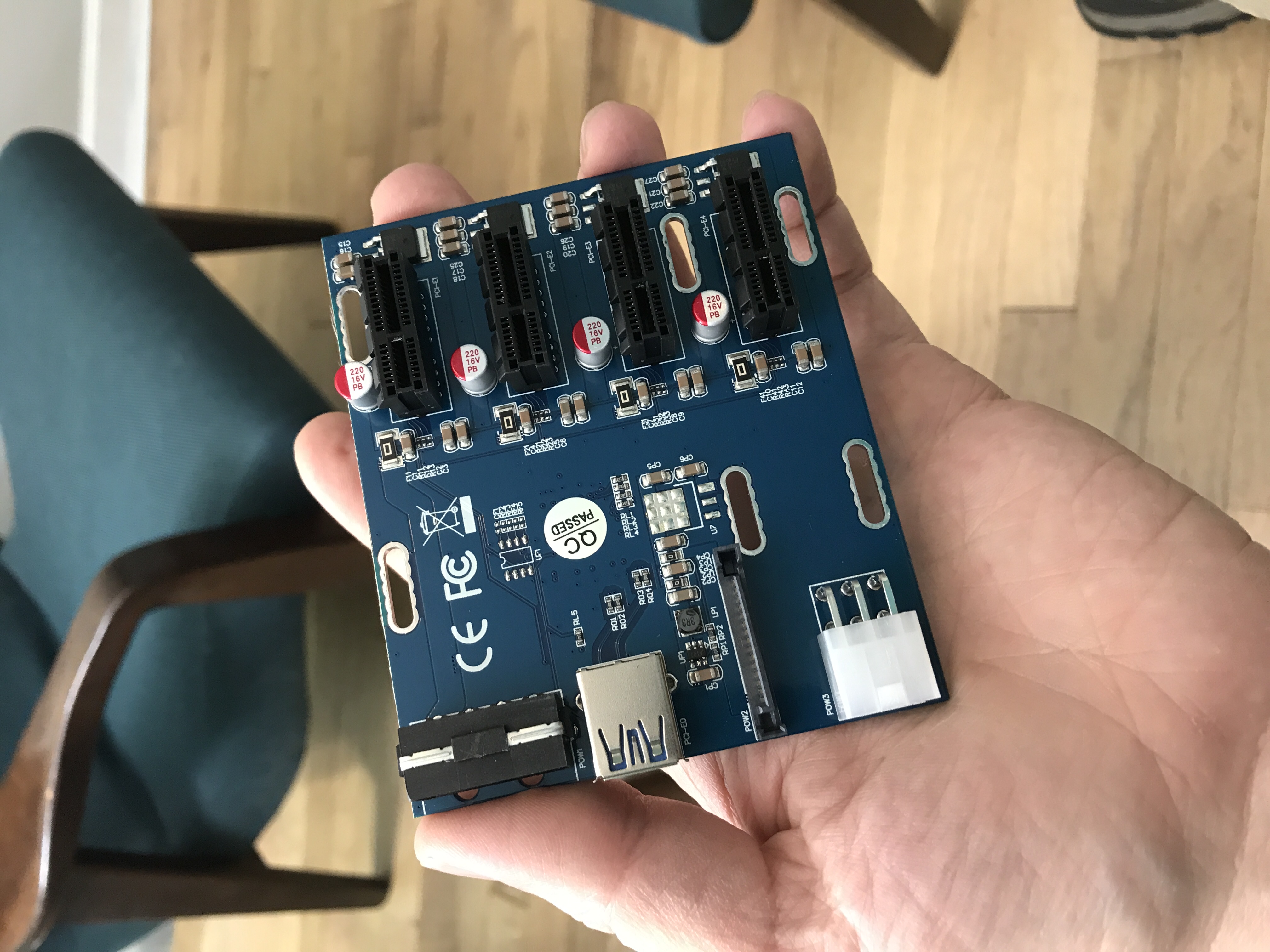
It’s a PCIe switch, that can expand a 1x PCIe slot into 4 more PCIe slots.
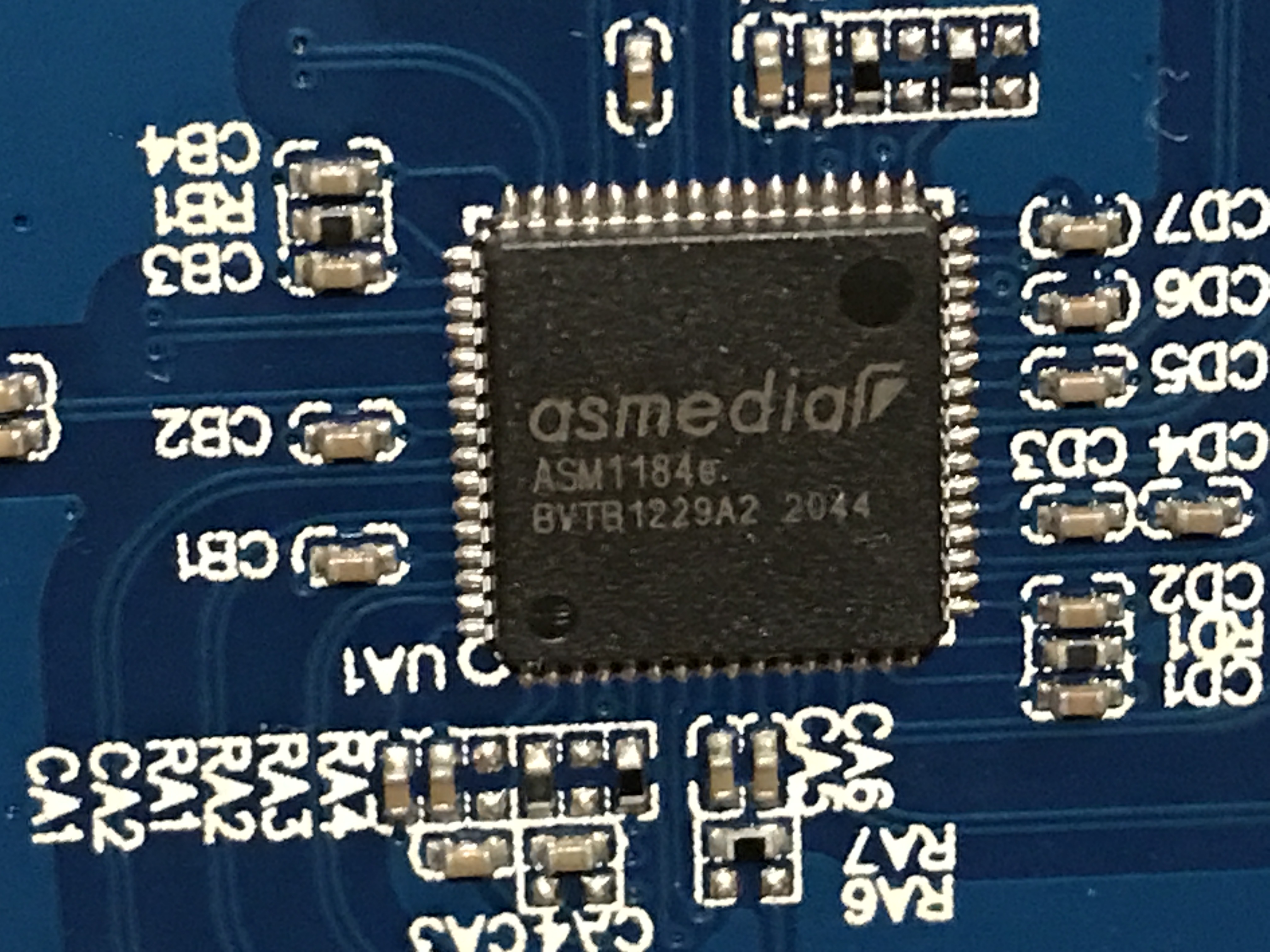
For those curious the chip the switch uses is an asmedia ASM1184e:
I was somewhat skeptical that the switch was going to work at all, and doubly skeptical that I was going to be able to passthrough individual devices on the other side of the switch.
But to my amazement, it worked perfectly! PCI cards on the other side of the switch got their own individual IOMMU groups, and I could pass them all through to separate VMs individually! (I tested with some spare cards before buying the pile of USB cards)
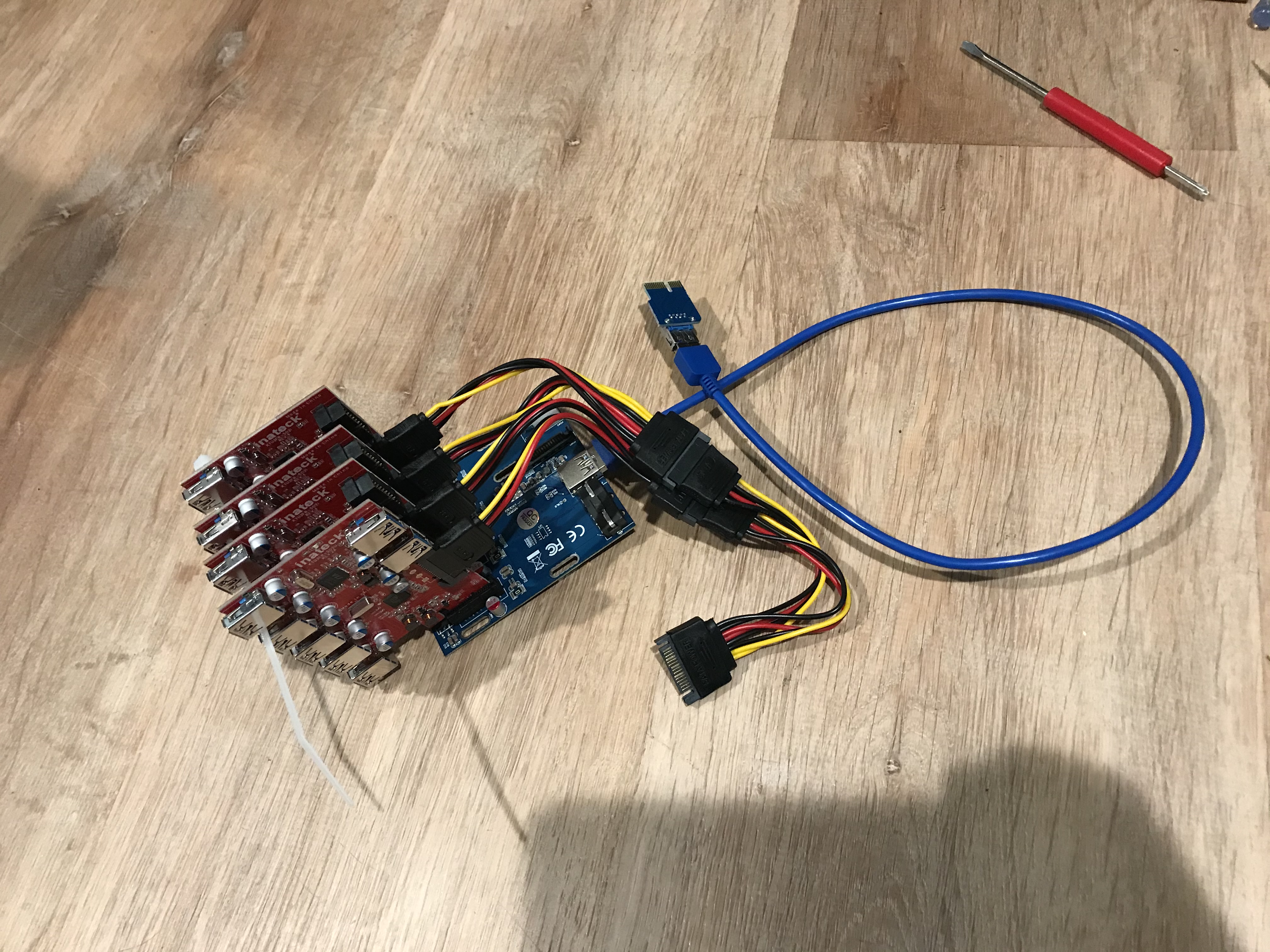
Yes, the blue cable in the picture is just a normal USB3 cable, being used to carry a PCIe signal (not actual USB). Apparently USB3 cables have enough conductors and suitable bandwidth, are much cheaper than a custom cable, and fairly commonly used for this sort of thing 🤷♂️ (though I did notice that if I touched the cable with my bare hands while the computer was running, it would cause USB devices to reset, so apparently the shielding is not amazing)
These are the USB cards I used with it. Along with some of these to provide external ports.
While I had a spare PCI port, I wanted to also use that same slot for the external USB ports (so I had a nice way to plug in my cables). I fixed that with a quick dremel cut 😛
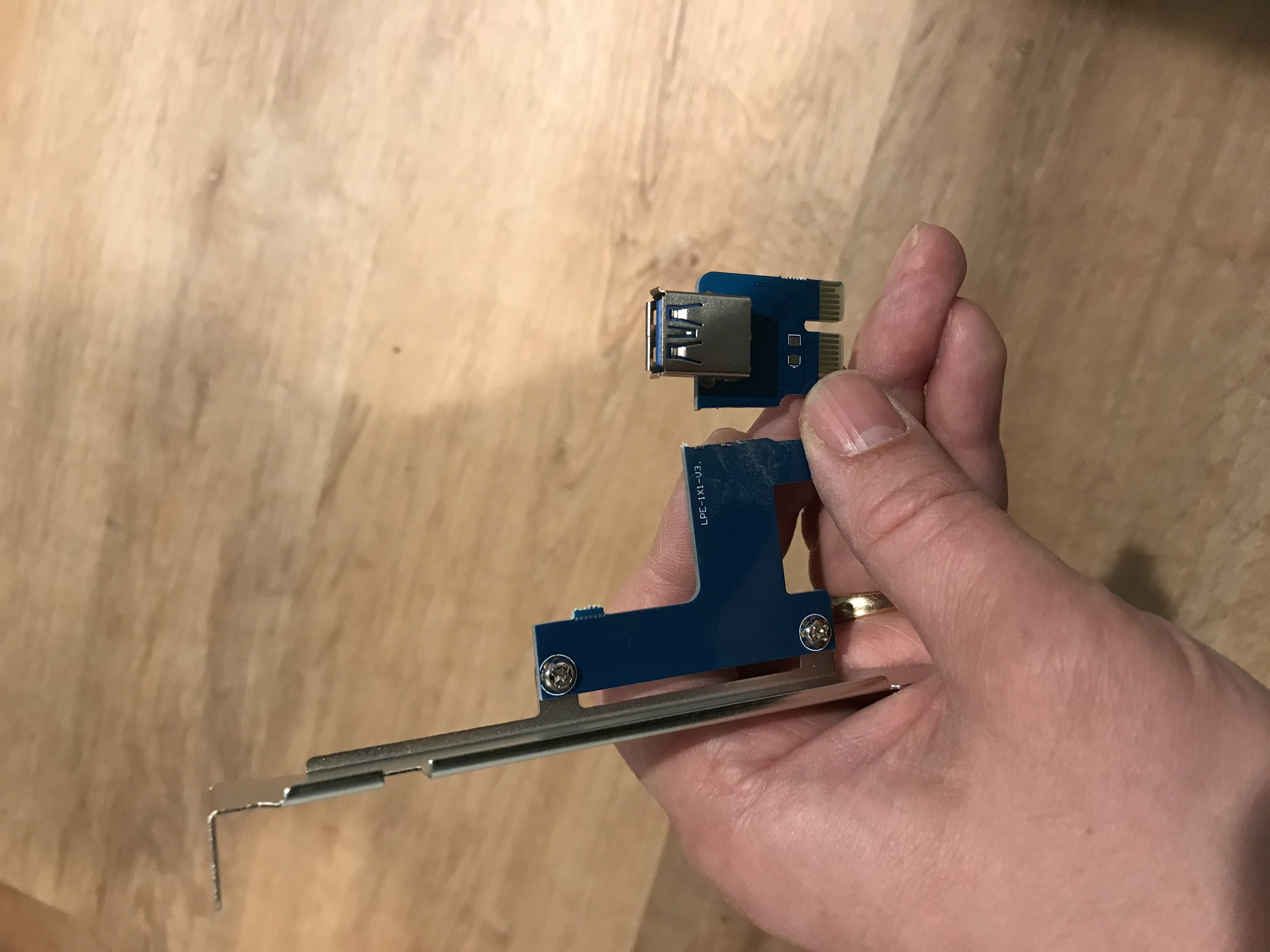
Mounting it inside my computer was a bit of a challenge. I used a couple of spare PCI slot covers and some zip-ties, not a great solution, but it mostly holds it together.
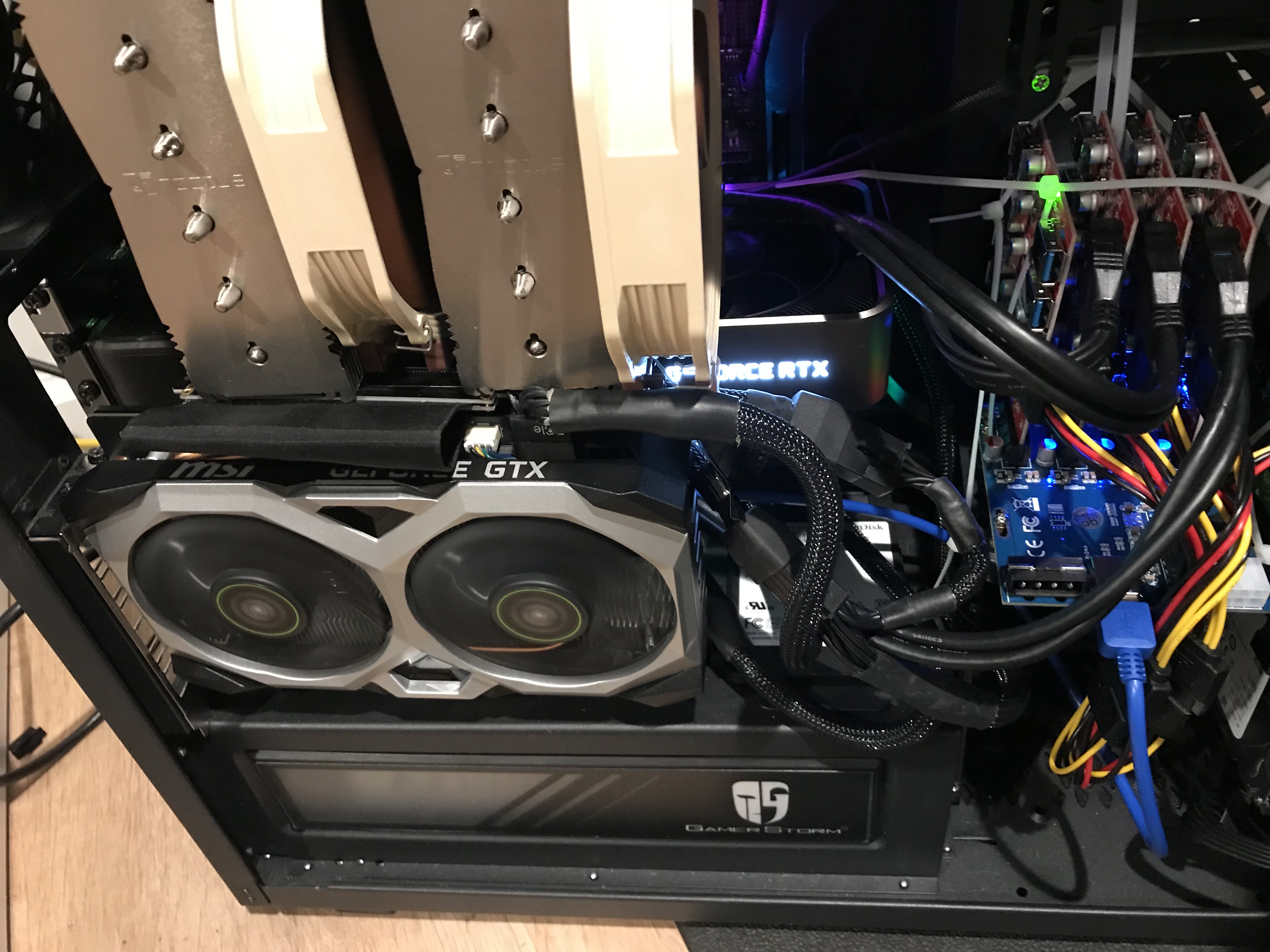
Not pretty, but it totally works 😀
Now if windows update does its thing I can go through and answer “no” to all its questions without having to do anything special. And I can connect and disconnect USB devices seamlessly. For all intents and purposes (except for the lacking a physical reset and power button) they are indistinguishable from a normal computer.